An enterprise swag-on-demand portal is more than a branded merchandise store protected by company login credentials.
A complete enterprise system needs to connect identity, employee lifecycle, permissions, points or budget entitlement, catalog access, redemption, production or inventory, fulfillment, and reporting.
In practical terms, SSO verifies the employee’s identity. Provisioning determines whether the application account should exist and keeps relevant identity attributes up to date. Authorization determines what the user is permitted to access. Points, credits, or allowances determine how much value is available. The redemption portal turns that entitlement into employee choice. Production and fulfillment then turn the selection into a delivered order.
That leads to the most important enterprise distinction in this article:
SSO is an authentication control. It is not, by itself, an employee lifecycle, budget-governance, merchandise, or fulfillment system.
Microsoft’s identity documentation separates federation protocols such as SAML and OpenID Connect from SCIM-based user provisioning. Its SCIM documentation supports creating, updating, disabling, and, where implemented, managing users, groups, memberships, and synchronized attributes over time.
BlinkSwag’s current public Okta integration separately documents SAML-based SSO and SCIM user provisioning. Its public platform pages also document Reward Points, Reward Marketplace redemption, user and role management, budget controls, and Reward Links. These capabilities are documented individually, but their exact interactions in a specific enterprise deployment should be confirmed during technical discovery rather than inferred from a single feature page.
What Is an Enterprise Swag-on-Demand Portal?
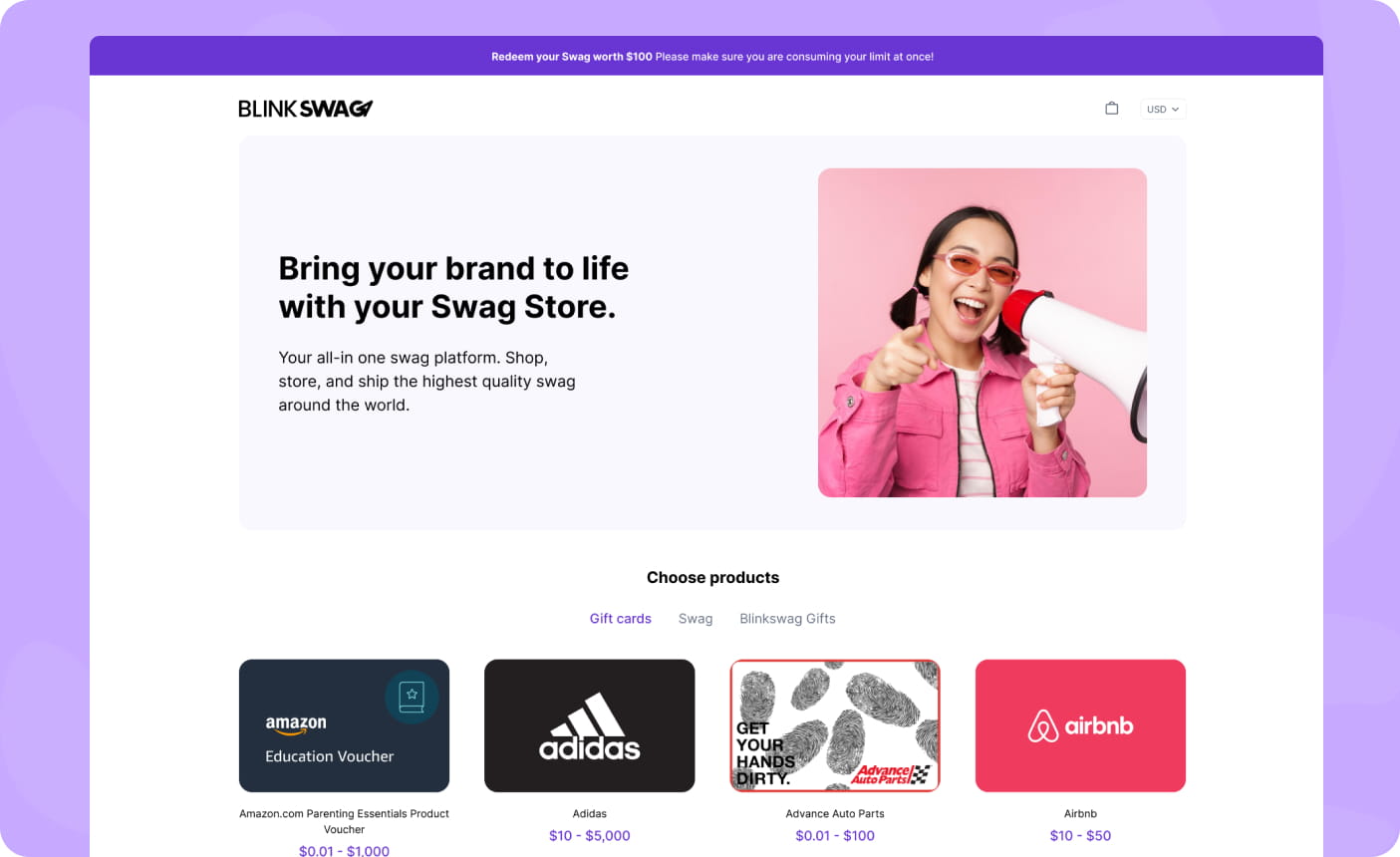
An enterprise swag-on-demand portal is a controlled digital environment where authorized users can access approved merchandise or rewards, use assigned points or budget, and trigger an order or fulfillment workflow.
The word enterprise materially changes what the portal needs to do.
A basic employee merchandise store may require little more than account access, a product catalog, and checkout. An enterprise deployment can also require lifecycle provisioning, departmental permissions, role- or region-specific catalogs, point balances, budget limits, approval rules, reporting, and controlled offboarding.
The word on-demand also requires care.
It should not automatically be interpreted as:
No inventory exists anywhere.
An enterprise program may produce some items only after redemption, allocate other items from existing inventory, and use a hybrid approach for the rest.
The more useful question is:
What financial, production, and inventory commitments exist before the employee makes a selection?
That question is more precise than asking whether the vendor simply describes its program as “on-demand.”
How Does an SSO Swag Redemption Portal Work?
The visible employee experience can appear simple:
sign in → choose swag → redeem → receive package
The enterprise system underneath it is more complex.
A controlled flow looks more like:
enterprise identity → active user account → assigned role or group → eligible program → available points or allowance → approved catalog → redemption → balance validation → product allocation or production → fulfillment → reporting
Each stage solves a different business problem.
The employee should not need to understand all of those controls. IT, HR, Finance, Procurement, and platform administrators do.
That is why enterprise evaluation should focus on the complete control chain rather than counting storefront features.
The Enterprise Swag Control Stack
A platform can be strong in one layer while leaving another layer dependent on manual administration. The full system should therefore be evaluated as a series of connected controls.
| Control layer | Core question | Typical mechanisms |
| Identity Control | Who is signing in? | SAML, OIDC, identity provider |
| Lifecycle Control | Should this account exist, and are its attributes current? | SCIM, provisioning, deprovisioning, attribute synchronization |
| Access Control | What can this user see or do? | roles, groups, permissions, authorization |
| Value Control | How much may this user redeem? | points, credits, allowance, budget cap |
| Merchandise Control | Which products or rewards are available? | catalog restrictions, eligibility rules, product availability |
| Fulfillment Control | How does the selected reward reach the recipient? | on-demand production, inventory, hybrid fulfillment |
| Evidence Control | Can administrators reconstruct what occurred? | balances, transactions, orders, redemption history, administrative, and integration records |
Evidence Control in this model means the reporting and transaction history required to understand what happened. It is not a separate security standard.
The value of the stack is that it exposes incomplete implementations.
A portal may support SSO while requiring administrators to maintain users manually. Another may automate the user lifecycle but provide weak budget segmentation. Another may provide sophisticated reward choice while relying heavily on pre-purchased inventory.
Enterprise readiness depends on how the layers work together.
SSO vs. SCIM vs. Role-Based Access
These concepts are commonly grouped in enterprise software discussions, but they answer different questions.
SSO Answers: Who Is This User?
Single Sign-On allows employees to authenticate to an application through their organization’s existing identity environment, rather than maintaining an additional independent password.
SAML and OpenID Connect are commonly used federation protocols for enterprise sign-in.
For a swag platform, SSO can simplify user access and allow the organization to keep authentication inside its established identity environment.
But successful authentication does not determine every other part of the employee’s experience.
It does not automatically establish which merchandise catalog the employee should see, which department should fund the order, or whether the application account should still exist.
Should This Application Account Exist?
SCIM, or the System for Cross-domain Identity Management, standardizes lifecycle operations between identity systems and applications.
Microsoft documents SCIM operations for creating, reading, updating, disabling, and deleting users. Group provisioning and membership management can also be supported when the application implements those capabilities.
That makes SCIM relevant to employee lifecycle changes.
For example, an organization may need the swag application to respond when an employee:
- joins;
- changes department;
- changes location;
- moves into a different role;
- transfers to another business unit;
- leaves.
The important distinction is:
SSO authenticates the employee. Provisioning keeps the application account aligned with the employee’s lifecycle.
BlinkSwag’s current Okta page publicly states support for SAML-based SSO and SCIM user provisioning. It does not, by itself, establish that every possible SCIM group, mapping, role, or point-balance scenario is available in every deployment. Those implementation details should be confirmed against the organization’s requirements.
What Is the User Allowed to Do?
Authentication and provisioning are still not enough.
Once a user exists and has successfully signed in, the platform must determine what they are authorized to access.
In a swag environment, authorization can affect:
- recipient versus administrator access;
- departmental stores;
- catalog visibility;
- approval authority;
- spending controls;
- program administration;
- reporting access.
BlinkSwag publicly describes Users and Role Management as a platform feature. That supports access-management use cases, but the public page should not be interpreted as proof of every standards-based RBAC behavior unless those specific controls are documented.
The safe architectural distinction is:
Authentication proves identity. Authorization controls permitted action.
Enterprise Lifecycle Means Joiners, Movers, and Leavers
Enterprise identity management should not be reduced to onboarding and termination.
An employee’s access requirements can change while they remain employed.
A useful lifecycle model is:
Joiner → Mover → Leaver
Joiner
A new employee may need:
account creation, role assignment, catalog access, an onboarding allowance, and eligibility for an employee store.
Mover
An existing employee may change:
department, manager, job function, location, business unit, or employment type.
That change can affect more than the employee directory.
It may need to change:
role → catalog → budget source → cost center → approval workflow → reward eligibility
Microsoft’s SCIM guidance supports synchronization of user attributes and, where implemented, group and membership changes over time.
Leaver
A departing employee may require:
account deactivation, removal from future programs, treatment of unused points, handling of pending approvals, and a defined policy for orders already placed.
The important enterprise requirement is therefore not:
Can we automatically create users?
It is:
Can the system keep access and entitlement aligned as the employee’s organizational state changes?
What Happens When an Employee Changes Departments or Locations?
A mature enterprise workflow should update relevant employee attributes without requiring administrators to create an entirely new account.
Suppose an employee moves from Marketing in New York to Sales in London.
That change could affect:
- department funding;
- reporting cost center;
- eligible merchandise;
- regional product availability;
- shipping rules;
- manager approvals;
- recognition program eligibility.
The application needs a defined rule for which data changes should affect which program controls.
This creates a second enterprise requirement beyond synchronization:
The organization must define which system is authoritative for each attribute.
Which System Should Be the Source of Truth?
Enterprise integrations can automate workflows, but they can also automate inconsistent data if ownership is not defined.
A practical model might use:
HRIS is the authority for employment status, department, manager, hire date, or location.
Identity provider as the authority for authentication and selected enterprise groups.
Swag or rewards platform as the authority for program-specific balances, catalogs, redemption history, and reward rules.
The exact model can differ by organization.
What matters is that the precedence is intentional.
Consider this example:
The HRIS says the employee moved to Sales.
The identity provider still has the employee in a Marketing group.
The rewards platform still has the old Marketing allowance.
The technical question is no longer merely:
Are the systems integrated?
It is:
Which system wins when their values disagree, and how quickly is the conflict resolved?
Microsoft’s provisioning architecture supports attribute mapping between identity systems and applications, so ownership and mapping decisions are made at the implementation level.
Why SSO Alone Does Not Make a Swag Portal Enterprise-Ready
A procurement questionnaire might contain:
Does the platform support SSO?
A technically correct yes answers only one layer of the operating model.
The organization still needs to understand:
- how users are provisioned;
- how movers are handled;
- how accounts are deactivated;
- how roles and access are assigned;
- where budgets come from;
- which catalogs users can see;
- how points are governed;
- What happens when synchronization fails?
That is why SSO should be evaluated as a single control within the larger architecture, not as shorthand for enterprise readiness.
Does SSO Automatically Remove a Terminated Employee?
Not necessarily.
SSO primarily governs authentication. User lifecycle synchronization requires a provisioning process or another account-management workflow.
Microsoft’s provisioning documentation shows that SCIM-based integrations can create, update, disable, and deprovision application users. Microsoft also exposes provisioning logs, allowing administrators to monitor synchronization actions and failures.
For an enterprise swag platform, IT should therefore ask more than whether deprovisioning exists.
It should also ask:
How quickly does a lifecycle change take effect?
What happens if the synchronization fails?
Can administrators see failed provisioning or deprovisioning events?
Can an existing user session remain active after account status changes?
Those questions turn provisioning from an integration checkbox into an operational control.
How Employee Point Redemption Works
Point redemption adds a financial and entitlement layer between authentication and merchandise.
An employee should not automatically see or redeem every product simply because they successfully sign in.
The platform first needs to determine:
whether the employee is eligible, which program applies, how much value is available, which catalog is authorized, whether the selected product fits the entitlement, and what financial record should be created.
A controlled flow can be summarized as:
authenticate → verify account → apply role and program rules → calculate entitlement → display eligible catalog → select reward → validate balance → reserve or deduct value → trigger order → record transaction
This matters because redemption is simultaneously:
a recipient action, a budget event, and an operational trigger.
BlinkSwag’s public Reward Marketplace documentation states that employees can accumulate points and redeem them for merchandise, apparel, electronics, and gift cards through a branded marketplace. It also documents tracking and reporting of earnings and redemption activity.
The enterprise evaluation should therefore go beyond:
Can employees redeem points?
and ask:
How are those points issued, funded, adjusted, restricted, reconciled, and audited?
Points vs. Credits vs. Allowances vs. Budgets
These terms are often used loosely across rewards and swag platforms.
They should not be treated as identical automatically.
Points
Points are recipient-facing units.
They may be awarded for achievements, milestones, recognition, participation, or other defined actions.
Their economic meaning depends on how the program maps points to available rewards or monetary value.
BlinkSwag publicly documents a points system used for employee rewards and branded-store redemption.
Credits
Credits are another form of recipient-facing value.
Some programs map one credit directly to a defined monetary amount. Others use credits more like abstract points.
Because terminology varies by platform, the important enterprise question is:
What is one credit worth, and how is that value reconciled financially?
Allowance
An allowance is usually a maximum amount made available to a user or group.
For example:
$150 annual employee merchandise allowance
The entitlement is directly understandable as a spending limit.
Budget
A budget is the organizational financial control that funds the program.
A company can therefore have:
a $100,000 departmental reward budget
while individual employees receive:
points, credits, or $150 allowances
from that larger pool.
BlinkSwag’s Budget Management page states that organizations can establish spending limits for individual employees or groups and track program spending.
The key distinction is:
Points, credits, and allowances describe recipient entitlement. Budgets describe organizational financial control.
Why the Difference Between Points and Budget Matters
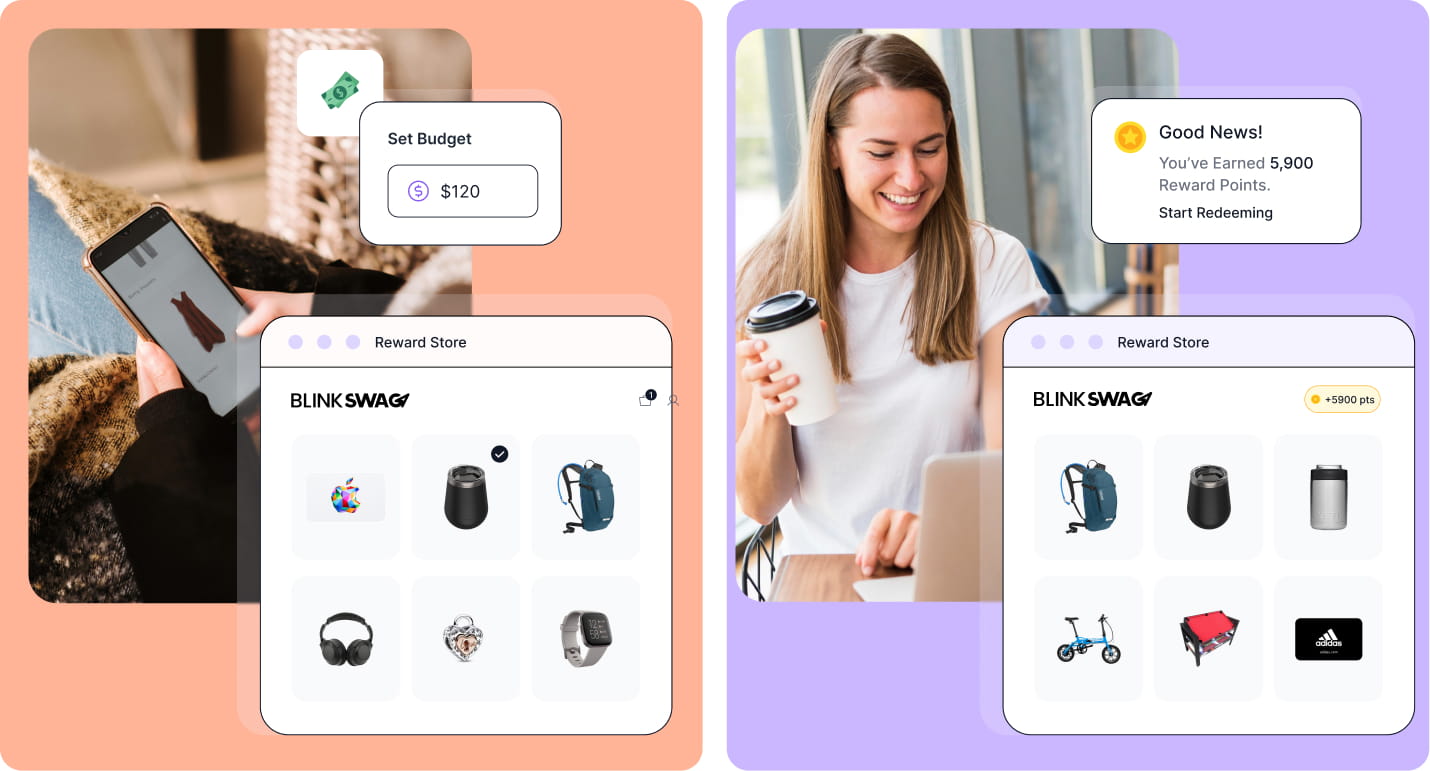
Suppose an employee sees a balance of 1,000 points.
Finance still needs to understand:
- what economic value those points represent;
- which budget funds them;
- whether the point value is fixed;
- whether unused points expire;
- when spending is recognized;
- which cost center absorbs a redemption;
- What happens if a redeemed order fails?
The employee sees:
1,000 points available
while the organization needs to understand:
the liability, funding source, transaction state, and the eventual delivered cost behind those points.
This distinction becomes even more important when point balances persist across multiple campaigns or years.
What Is a Point Redemption Portal?
A point redemption portal is a digital environment where an eligible user exchanges available points for approved rewards.
For an enterprise employee program, the portal can combine:
- branded merchandise;
- apparel;
- electronics;
- gift cards;
- other curated rewards.
The portal can also enforce:
- product eligibility;
- point requirements;
- recipient budgets;
- catalog restrictions;
- product variants;
- shipping information.
BlinkSwag’s current Reward Marketplace documentation describes branded employee marketplaces where accumulated points can be redeemed for merchandise and gift cards.
The enterprise buyer should therefore evaluate both:
The storefront employees’ experience
and:
The governance controls that determine what the storefront allows.
What Happens If a Redemption Cannot Be Fulfilled?
This is an important point-governance edge case.
An employee may redeem 500 points, but the order could later be:
- canceled;
- rejected;
- returned;
- lost;
- unavailable;
- substituted.
The organization needs a defined transaction policy.
Questions include:
Are the points immediately deducted or only reserved?
Are they restored automatically if fulfillment fails?
Who can manually restore them?
Is the adjustment recorded?
What happens if a replacement product has a different value?
Without those rules, the point ledger and the order ledger can become misaligned.
This is why enterprise point governance extends beyond awarding and redeeming points.
Reward Link vs. Persistent SSO Employee Portal
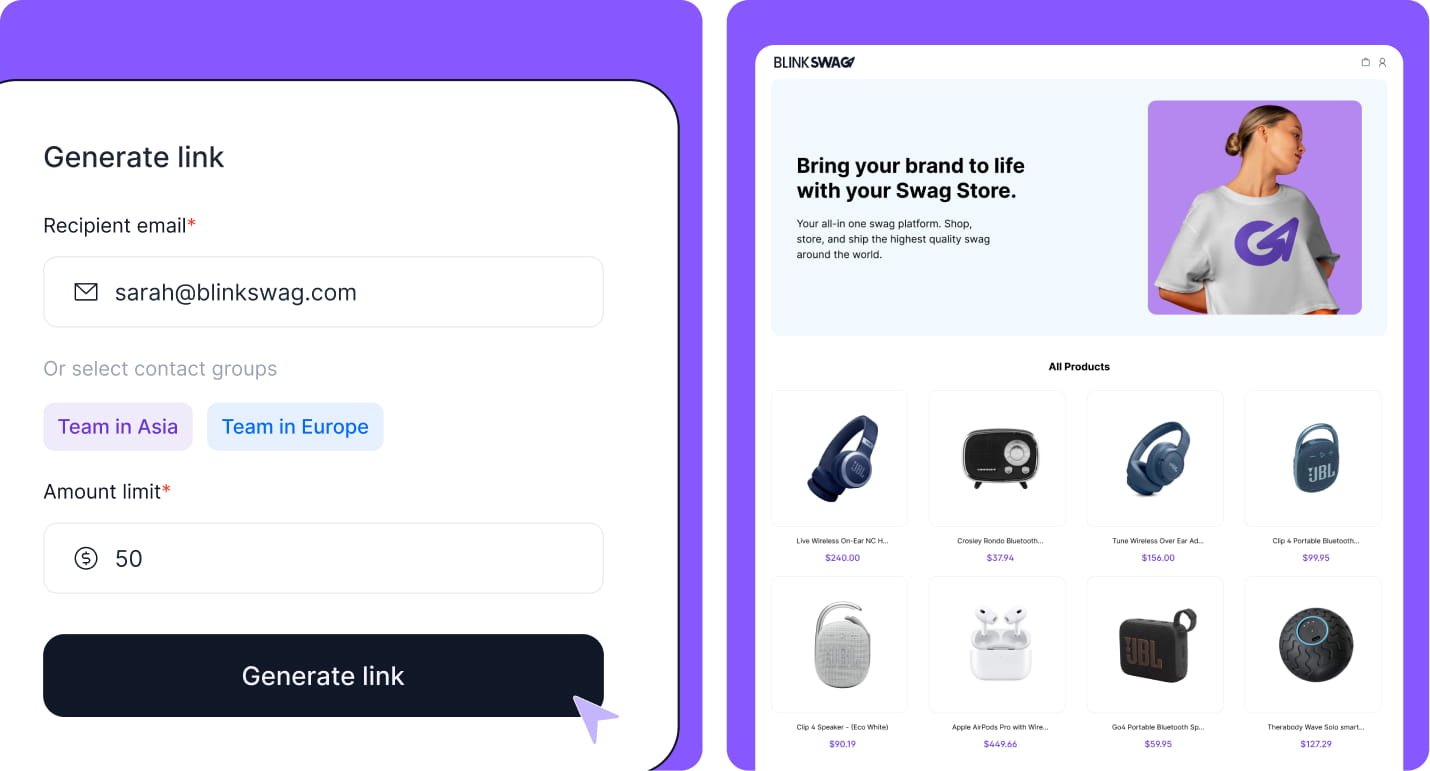
Reward Links and authenticated employee portals can both provide recipient choice.
They solve different identity problems.
Reward Link
A recipient-specific Reward Link can work well when the user does not need a permanent enterprise account.
Typical use cases include:
customers, prospects, event attendees, candidates, partners, external recipients, and one-time employee campaigns.
BlinkSwag’s public Reward Links documentation states that each link can be tied to a specific recipient, assigned an individual budget, generated in bulk, presented through a branded redemption page, and connected to curated gift cards, company products, or physical gifts.
That links itself to the access and entitlement mechanism.
Persistent SSO Employee Portal
A persistent portal is more appropriate when the organization needs an ongoing relationship between:
employee identity + role + balance + catalog + transaction history
Examples include:
- recurring employee reward programs;
- persistent point balances;
- Ongoing company-store access;
- departmental merchandise programs;
- Repeated recognition;
- long-running allowances.
The employee returns to the same environment over time rather than receiving a new campaign link for every interaction.
Which Is Better: Reward Link or SSO Portal?
Neither is universally better.
The correct access model depends on the relationship between the organization and the recipient.
Use a persistent portal when the recipient needs continuing enterprise identity, lifecycle management, repeated access, and long-lived entitlement.
Use a recipient-specific link when the interaction is temporary, external, campaign-based, or does not justify maintaining a persistent application account.
This distinction can also reduce unnecessary identity administration.
A customer receiving one appreciation gift does not necessarily need to become a provisioned employee-store user.
Likewise, an employee participating in a multi-year recognition program should not necessarily depend on a new campaign link for every reward.
The access model should match the relationship.
From Access Control to Program Operations
At this point, the enterprise architecture has been established:
who the user is → whether the account should exist → what the user may access → how much value is available → what the user can redeem
The next layer is operational.
Once a valid redemption occurs, the platform still has to answer:
Where does the merchandise come from, what inventory or production commitment already exists, how is the order fulfilled, what happens when employment or order status changes, and what evidence remains afterward?
That is where on-demand, inventory, hybrid fulfillment, deprovisioning, point governance, HRIS integration, security, procurement, implementation, and enterprise reporting become critical.
On-Demand vs. Inventory-Based vs. Hybrid Swag
Once identity, entitlement, and redemption rules are established, the next question is operational:
What happens after the employee clicks Redeem?
The answer depends on the portal’s supply model.
Produced on Demand
In a produced-on-demand model, some or all merchandise is produced, decorated, personalized, or otherwise prepared after an employee places an order or completes a redemption.
This can reduce the amount of finished merchandise that must be committed before demand is known.
It does not eliminate every operational tradeoff. Production time, decoration method, product availability, unit economics, and regional fulfillment can differ from pre-produced inventory.
Inventory Fulfilled on Demand
In this model, finished merchandise already exists.
The redemption determines when that inventory is allocated, picked, packed, and shipped.
From the employee’s perspective, the experience can still feel fully on-demand even though the company or vendor has already committed to finished inventory.
Hybrid Swag
A hybrid model uses both approaches.
Frequently requested products may be stocked for faster fulfillment, while less predictable products, sizes, regions, or seasonal options are produced or sourced only after demand is known.
The practical enterprise question is therefore not:
Does the vendor offer on-demand swag?
It is:
Which products, quantities, costs, and inventory commitments exist before recipient demand is known?
That distinction is important because vendor definitions of “on-demand” can describe materially different operating models.
Does On-Demand Swag Mean Zero Inventory?
No.
On-demand can refer to production after redemption, inventory allocation after redemption, or a hybrid of both.
An enterprise buyer should verify where inventory risk actually sits.
If 5,000 hoodies have already been decorated and stored, the organization has inventory exposure even if employees only receive them after individual redemption.
If each hoodie is decorated only after an employee selects a size, the inventory model changes.
Neither model is automatically better. The appropriate structure depends on expected volume, product requirements, fulfillment speed, unit economics, regional availability, and tolerance for excess stock.
The Deprovisioning Test: What Happens When an Employee Leaves?
A polished employee onboarding flow is useful.
Enterprise readiness is often exposed more clearly during offboarding.
Ask:
An employee leaves today. What happens tomorrow?
The organization should be able to define what happens to the application account, authentication access, unused entitlements, pending redemptions, already-submitted orders, personal data, and historical reporting.
A mature workflow should answer questions such as:
- Is access restricted automatically?
- How quickly does the lifecycle change reach the swag platform?
- Can an existing application session remain active?
- What happens if provisioning or deprovisioning fails?
- Can administrators see the failure?
- What happens to unused points or allowances?
- Are pending approvals canceled?
- Do already-submitted orders continue?
- What recipient information remains stored?
- Can administrators later reconstruct what occurred?
Microsoft Entra provides provisioning logs that administrators can use to review provisioning actions, statuses, property changes, and failures. That illustrates an important enterprise principle: lifecycle automation should be observable, not invisible.
The important question is not simply whether SCIM is available.
It is whether lifecycle behavior is defined, monitored, and recoverable when something fails.
What Should Happen to Unused Points When an Employee Leaves?
There is no universal rule.
The correct behavior depends on program policy, employment rules, accounting treatment, and platform configuration.
Unused value could expire immediately, remain available for a defined period, return to a central program, remain frozen for administrative review, or be treated differently depending on whether points were earned or simply allocated.
The important requirement is:
Point behavior at termination should be intentional rather than accidental.
The organization should know whether unused balances represent an employee entitlement, an internal program allocation, or another type of value before automating the offboarding rule.
The Point Governance Test
A points system should be evaluated as a governed value system, not only as a user-interface feature.
Enterprise buyers should be able to trace the point lifecycle through:
issue → allocate → restrict → redeem → adjust → restore → expire → deprovision → report
Who Can Issue Points?
The award authority should be distinguishable from administrative authority.
For example, a manager may be allowed to recognize employees but not modify the underlying program configuration.
Who Can Adjust a Balance?
Manual adjustments should have clear permissions.
If someone adds or removes points, administrators should be able to determine who made the change and why.
Can Points Expire?
If balances expire, employees should understand the rule, and administrators should understand the financial implications.
Can Points Be Revoked?
Revocation rules may differ depending on whether the value was allocated administratively, earned through a program, or already used in a transaction.
Can Employees Add Personal Payment?
Allowing an employee to pay the difference can expand product choice, but it also introduces questions around payment processing, refunds, tax handling, privacy, and support.
What Happens When an Order Fails?
This is one of the most important edge cases.
Suppose an employee redeems 500 points and the order is later canceled, unavailable, returned, or lost.
The system should have a defined answer to:
Are the 500 points restored?
It should also define whether restoration is automatic, whether administrators can adjust the balance manually, and whether the restoration appears in the transaction history.
Otherwise, the point ledger and fulfillment ledger can drift apart.
How Should Department and Cost-Center Budgets Work?
Enterprise programs rarely operate from one undifferentiated pool of money.
A company may have separate budgets for:
- employee recognition;
- onboarding;
- events;
- recruiting;
- sales incentives;
- customer gifting;
- departmental merchandise;
- regional programs.
The employee experience can remain simple even when the financial structure behind it is complex.
An employee may see:
500 points available
while the redemption is funded by:
Sales → North America → Employee Recognition → Q4 cost center
That separation matters because recipient entitlement and financial ownership are not necessarily the same thing.
BlinkSwag’s public platform materials document budget management, point systems, user and role management, and group-oriented controls as distinct platform capabilities. Its automation materials also describe recurring budget assignment by team or region.
Exact cost-center behavior and accounting requirements should still be verified against the intended implementation.
Can Different Departments Have Different Swag Budgets?
Yes, when the platform and program design support segmented allocations.
Organizations may need different spending limits for departments, teams, regions, campaigns, or individual recipients.
The more useful evaluation questions are:
Can the budget be assigned at the required organizational level?
Can the employee use only the budget associated with their eligible program?
Can Finance report those costs separately?
What happens when the employee moves between departments?
The last question is particularly important because a budget structure that works for onboarding may become inaccurate if employee attributes change while program entitlements do not.
How HRIS, Identity, and the Swag Platform Work Together
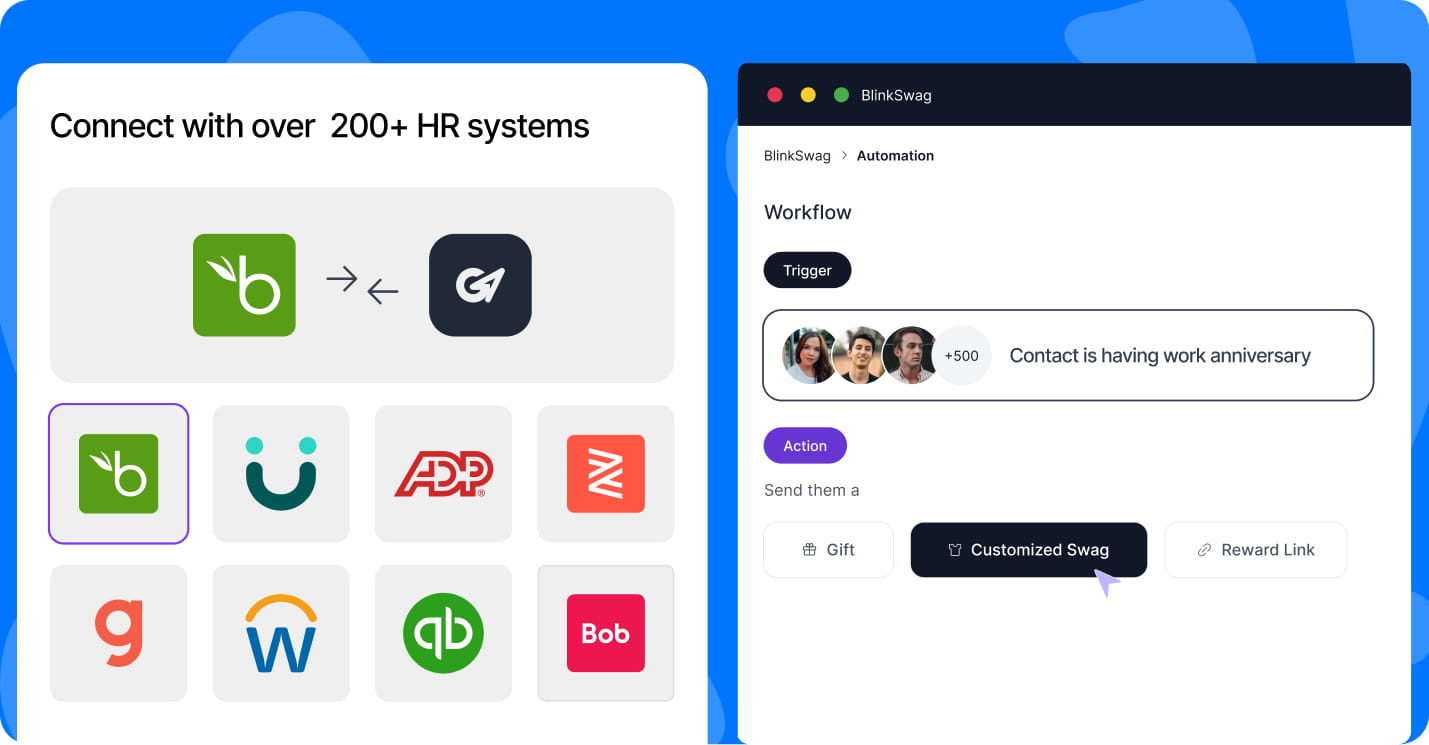
Enterprise employee data can reach the swag platform through several routes.
BlinkSwag’s public integration directory lists integrations with systems such as Workday, BambooHR, ADP, Rippling, UKG, Gusto, Deel, and other HR and payroll platforms. BlinkSwag describes these connections as ways to keep employee directories up to date and automate employee rewards.
But the systems still have different jobs.
HRIS
The HRIS can supply employment information such as department, location, hire date, manager, and status.
Identity Provider
The identity provider manages authentication and selected application-access information.
Provisioning Layer
SCIM or another lifecycle mechanism synchronizes relevant users and attributes into the application.
Swag Platform
The swag platform applies program-specific rules such as eligibility, points, budgets, catalog access, rewards, and redemption.
The architecture should therefore define:
which system owns which data, how conflicts are resolved, and how quickly changes propagate.
An integration is not automatically a governance model.
What Security Controls Should IT Require?
“Enterprise-grade security” is too vague to be useful on its own.
IT should evaluate specific controls.
Authentication and Identity
Verify the supported authentication mechanisms and identity providers.
If SSO is required, confirm how it is configured and whether access can be enforced for the relevant employee population.
Provisioning
Confirm whether lifecycle provisioning is automated.
If SCIM is used, verify the operations required for the intended deployment rather than assuming every SCIM implementation supports every group, attribute, or mapping scenario.
Authorization
Determine how recipient access, administrative access, reporting permissions, and program-management privileges are separated.
MFA
If authentication flows through the company’s IdP, determine how existing MFA policies affect access to the swag platform.
Session Management
Ask how sessions expire and how access behaves after account status changes.
Auditability
Determine which activities can be reconstructed.
Relevant events can include:
- user lifecycle changes;
- point adjustments;
- budget changes;
- administrative actions;
- redemptions;
- orders.
Personal Data
Employee swag systems may process names, email addresses, departments, shipping addresses, clothing sizes, selections, and order histories.
The enterprise should understand what is collected, where it is stored, who can access it, why it is required, and how long it is retained.
Data Minimization
A connected HR system may contain far more employee information than a swag program needs.
The integration should therefore ask:
Which attributes are actually necessary for the program?
Sending every available HRIS attribute simply because the integration can access it is not good data governance.
Integration Security
If APIs or integrations connect the platform to HR, identity, finance, or recognition systems, evaluate authentication methods, scopes, permissions, and administrative ownership.
BlinkSwag’s public Security & Compliance Policy, last updated in June 2025, outlines principles such as defense-in-depth, least privilege, separation of duties, and AWS-based hosting. Any certification or control claim beyond what is explicitly documented should be verified separately during procurement.
Accessibility and Localization Are Enterprise Requirements Too
A swag portal can satisfy identity and security requirements while still creating barriers for employees.
Enterprise buyers should also evaluate whether the redemption experience works across their actual workforce.
Accessibility
Ask whether employees using assistive technologies can navigate the store, understand balances, choose variants, enter delivery details, and complete redemption.
Accessibility should be treated as a portal requirement, not merely a visual-design preference.
Language and Localization
Global workforces may require:
- multiple languages;
- regional catalogs;
- local product availability;
- localized address formats;
- local currencies or pricing presentation;
- region-specific delivery options.
Regional Eligibility
A product available to a U.S. employee may not be practical or available for an employee in another country.
Enterprise catalog controls should account for those differences rather than present unusable options.
What Should Procurement Ask About Fulfillment?
A redemption portal is only one half of the employee experience.
The other half is whether the selected product actually arrives.
Procurement should verify what happens after redemption.
Important questions include:
Is the product produced after redemption, or is it already stocked?
Who owns the inventory before redemption?
Where is the merchandise produced or stored?
What minimum quantities apply?
How are apparel sizes handled?
What happens when an item becomes unavailable?
Can a recipient receive a substitution?
How are failed deliveries handled?
How are replacements processed?
Can recipients track shipments?
How are international orders handled?
What happens when an employee leaves after placing an order but before delivery?
These questions connect the digital redemption experience to the physical supply chain.
Implementation and Operations: What Happens Before Launch?
Enterprise software evaluation should not end with a feature checklist.
The organization also needs to understand how the platform becomes operational.
Identity Configuration
Who configures SSO and provisioning?
What technical information must IT provide?
Is a test environment available?
Attribute Mapping
Which employee fields are synchronized?
Which are required?
Which system is authoritative?
Program Configuration
Who creates roles, catalogs, budgets, point rules, and eligible groups?
Testing
Can the company test:
joiners, movers, leavers, failed provisioning, expired points, insufficient balances, unavailable products, and canceled orders
before production launch?
Migration
If the organization is replacing an existing platform, how are current employee balances, catalogs, users, and order history treated?
Administrator Training
Who is responsible for:
HR administration, budget ownership, fulfillment operations, identity administration, reporting, and support?
Support and Escalation
Enterprise buyers should understand support channels, escalation processes, operational ownership, and any documented service commitments.
A sophisticated platform can still create an administrative burden if implementation responsibilities are unclear.
The 60-Second Enterprise Test
A practical evaluation can be reduced to one scenario:
A new employee joins on Monday. Can the system create or provision the user, apply the correct attributes and role, show the appropriate catalog, assign the correct allowance or points, authenticate through company credentials, accept a redemption, trigger fulfillment, record the transaction, respond correctly if the employee changes departments, and later remove access when the employee leaves?
Then add one more question:
Can administrators identify where the workflow failed if any of those steps do not happen?
That final question distinguishes between automation and observable automation.
If the process relies on multiple spreadsheets and manual corrections, the buyer should understand where operational risk persists.
Enterprise Swag Portal RFP Checklist
The RFP should evaluate the entire system, not only merchandise selection.
Identity
Confirm SAML or OIDC requirements, supported identity providers, SSO behavior, MFA interaction, and access-enforcement requirements.
Provisioning
Confirm whether user creation, updates, deactivation, group behavior, and attribute mapping meet the organization’s requirements.
Lifecycle
Test joiners, movers, leavers, synchronization failures, and delayed updates.
Authorization
Verify recipient roles, administrator permissions, manager permissions, catalog restrictions, reporting access, and approval authority.
Entitlement
Define how points, credits, allowances, expiration, revocation, balance adjustments, and department funding should work.
Merchandise
Verify product restrictions, variants, regional availability, personalization, brand controls, and out-of-stock handling.
Supply Model
Identify which products are made on demand, which are stocked, and which use hybrid fulfillment.
Fulfillment
Review domestic and international delivery, tracking, replacements, failed deliveries, returns, and support ownership.
Finance
Confirm department budgets, spending limits, cost allocation, balance reporting, and any required exports.
Security and Privacy
Review identity controls, data handling, attribute minimization, retention, encryption, subprocessors, access controls, and independently verified certifications where required.
Accessibility and Localization
Confirm accessibility expectations, language support, regional catalogs, address handling, and relevant localization requirements.
Implementation
Clarify technical ownership, configuration responsibilities, testing, migration, launch support, administrator training, and escalation.
Evidence
Verify whether the platform can report provisioning status, point activity, redemptions, orders, fulfillment state, budgets, and operational exceptions.
What Current Enterprise Platforms Emphasize
The major platforms ranking for this topic do not all solve the problem in the same way.
That is useful because it demonstrates why a simple checkmark comparison can be misleading.
Kotis Design
Kotis’s current first-party swag store materials emphasize enterprise store controls, including SSO integrations with Google Workspace, Azure Active Directory, Okta, and SAML; authorized-user access levels; team budgets; reporting; API functionality; and an annual third-party SOC 2 Type 2 audit.
That positions Kotis strongly around controlled company stores, enterprise authentication, budgets, and operational reporting.
It does not mean every Kotis implementation uses the same identity lifecycle or point-redemption architecture described in this article. Those capabilities should still be evaluated against a buyer’s specific requirements.
Ciloo
Ciloo’s current platform overview emphasizes a different enterprise model: SSO, role-based access, cost-center accounting, ERP and DAM integration, localized invoicing, and local/on-demand production.
Its positioning shows why enterprise swag platforms can also serve as brand, procurement, and distributed production infrastructure rather than purely as employee reward portals.
Merchloop
Merchloop’s current first-party comparison content emphasizes employee self-redemption and made-to-order merchandise with no upfront finished inventory. For SSO, Merchloop describes using Shopify ecosystem integrations or custom configuration rather than presenting the experience as a native one-click enterprise SSO layer.
That represents yet another architecture: self-service store access combined with made-to-order production.
These examples are not a ranking.
They illustrate that:
storefront, identity, entitlement, inventory, production, and fulfillment architecture can vary substantially even when several products are all marketed as enterprise swag platforms.
How BlinkSwag Supports Enterprise Redemption Workflows
BlinkSwag’s public materials document several capabilities relevant to the enterprise control stack.
The Okta integration publicly states that it supports SAML-based SSO and SCIM user provisioning.
BlinkSwag’s public feature set documents separately:
- Reward Points;
- Budget Management;
- on-demand and bulk inventory;
- Users and Role Management
- Reward Links;
- integrations.
Its integrations directory documents connections to numerous HR and payroll platforms, while its automation materials describe triggers such as new hires, anniversaries, and recurring budget assignments.
These are verified individual capabilities.
They should not be interpreted as proof that every identity event automatically changes every point balance, catalog rule, role, or budget in every deployment.
Exact interactions between identity lifecycle, employee attributes, roles, catalogs, points, budgets, and offboarding should be confirmed during technical discovery for the intended enterprise configuration.
That qualification is important.
Can BlinkSwag Connect to Okta?
Yes.
BlinkSwag’s current first-party Okta page states that the integration supports SAML-based SSO and SCIM user provisioning.
An enterprise implementation should still confirm the required:
attribute mappings, user lifecycle behavior, group requirements, role mappings, synchronization behavior, and offboarding rules.
The existence of SCIM support does not establish every possible SCIM implementation detail.
How Should an Enterprise Measure a Swag Redemption Program?
Measurement should follow the control stack.
Access and Lifecycle
Track provisioning success, deprovisioning failures, stale accounts, and manual account interventions where the relevant systems expose those events.
Entitlement
Monitor points or allowances issued, adjusted, expired, restored, and redeemed.
Redemption
Track eligible users, active users, redemption rate, abandoned transactions, and failed redemptions.
Fulfillment
Monitor completed orders, unavailable products, substitutions, replacement orders, failed deliveries, and fulfillment exceptions.
Financial Control
Track program spend, department spend, available balances, redeemed value, and operational cost where supported.
Exceptions
Enterprise programs should pay particular attention to:
provisioning failures, manual overrides, failed redemptions, stock exceptions, failed deliveries, and balance corrections.
These exception rates help reveal where an apparently automated workflow still requires manual intervention.
What Does Redemption Rate Actually Prove?
A high redemption rate shows that eligible recipients claimed the available value.
It does not, by itself, prove:
- stronger engagement;
- higher retention;
- better recognition quality;
- improved productivity;
- greater employee satisfaction.
Those outcomes require separate evidence.
This distinction matters because enterprise reporting can become misleading when an operational metric is treated as proof of a broader HR outcome.
Methodology and Evidence Standard
This article treats technical capabilities as verified only when they are supported by appropriate current documentation.
For identity standards and provisioning behavior, authoritative identity documentation is preferred.
For BlinkSwag capabilities, BlinkSwag’s current first-party product, integration, and security pages are used.
For competitor capabilities, current first-party vendor materials are preferred over third-party comparison claims.
A vendor comparison article can help identify what the market is discussing, but it should not be the sole evidence for another vendor’s security, integration, certification, or lifecycle capabilities.
Where public documentation does not establish an implementation detail, the appropriate answer is:
Verify during technical discovery
rather than infer a feature from adjacent capabilities.
The Bottom Line
Enterprise swag-on-demand should not be evaluated as:
store + SSO + products
A stronger model is:
identity → lifecycle → access → entitlement → merchandise → fulfillment → evidence
The identity layer determines who the user is.
Lifecycle controls keep access aligned as employees join, move, and leave.
Authorization determines what each user is allowed to access.
Points, credits, allowances, and budgets govern value.
The redemption portal converts entitlement into recipient choice.
The supply model determines whether merchandise is stocked, produced on demand, or handled through a hybrid approach.
Fulfillment turns the redemption into a delivered experience.
Evidence and reporting allow administrators to understand what happened, identify failures, and govern the program over time.
That is the standard an enterprise buyer should use when evaluating an SSO-enabled swag-and-point-redemption portal.